
How do I delete an announcement in a course?
Open Announcements
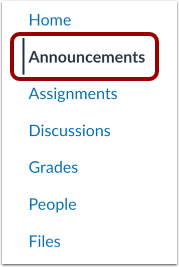
In Course Navigation, click the Announcements link.
Delete Individual Announcement
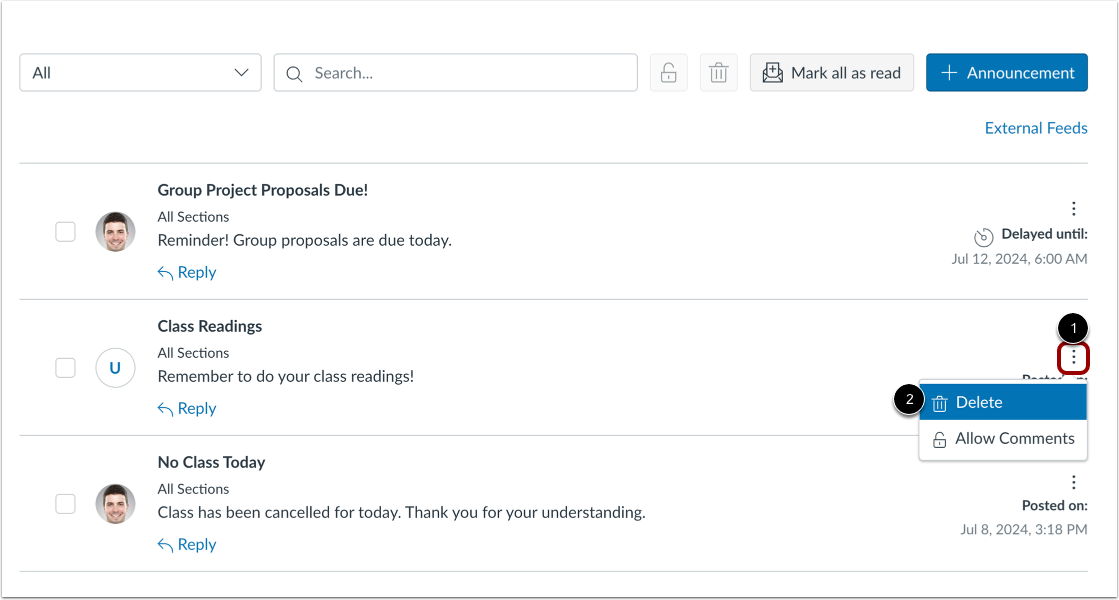
To delete an announcement from the index page, locate the announcement. Click the Options icon [1] and click the Delete link [2].
Delete Multiple Announcements
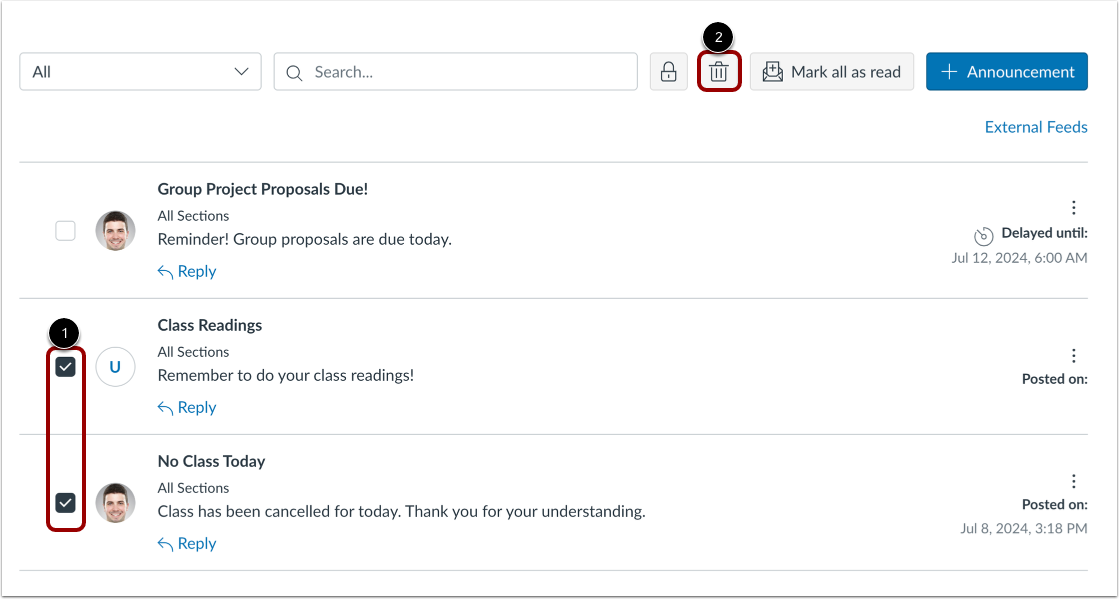
To delete multiple announcements at a time, click the checkboxes next to the announcements you want to delete [1], then click the Delete icon [2].
Delete Open Announcement
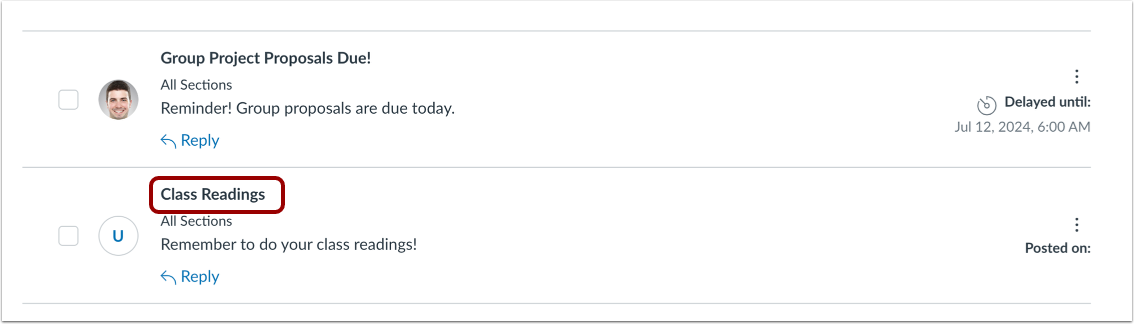
To delete an open announcement, click the title of the announcement to open it.
Delete Announcement
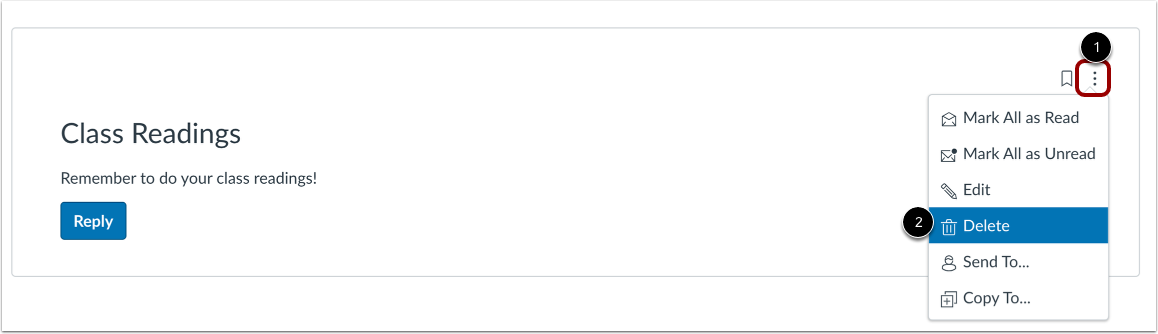
Click the Options icon [1], then click the Delete link [2].
Confirm Deletion
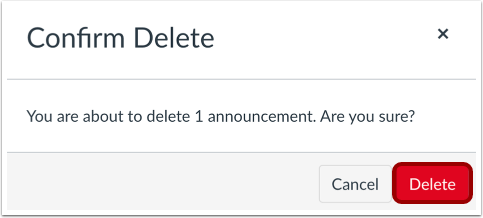
To confirm, click the Delete button.
Infomation presented in this guide is from The Instructure Community Product Resources.